
How do I install this?
It's as simple as setting up your Infoseek account to get your app URL. You can paste that URL into your preferred AI.
 Travel MCP
Compare flight options across Google Flights, Skyscanner, Booking.com, and Skiplagged with one MCP call for route, dates, class, passenger counts, stop limits, and duration caps.
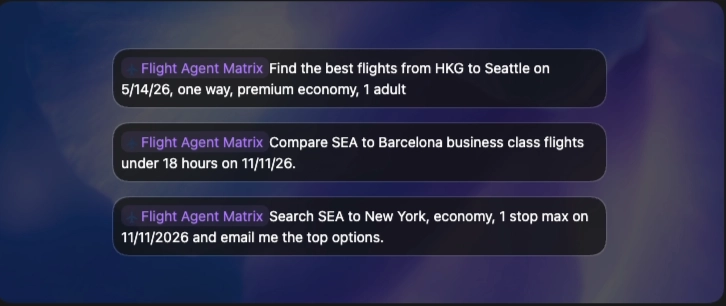
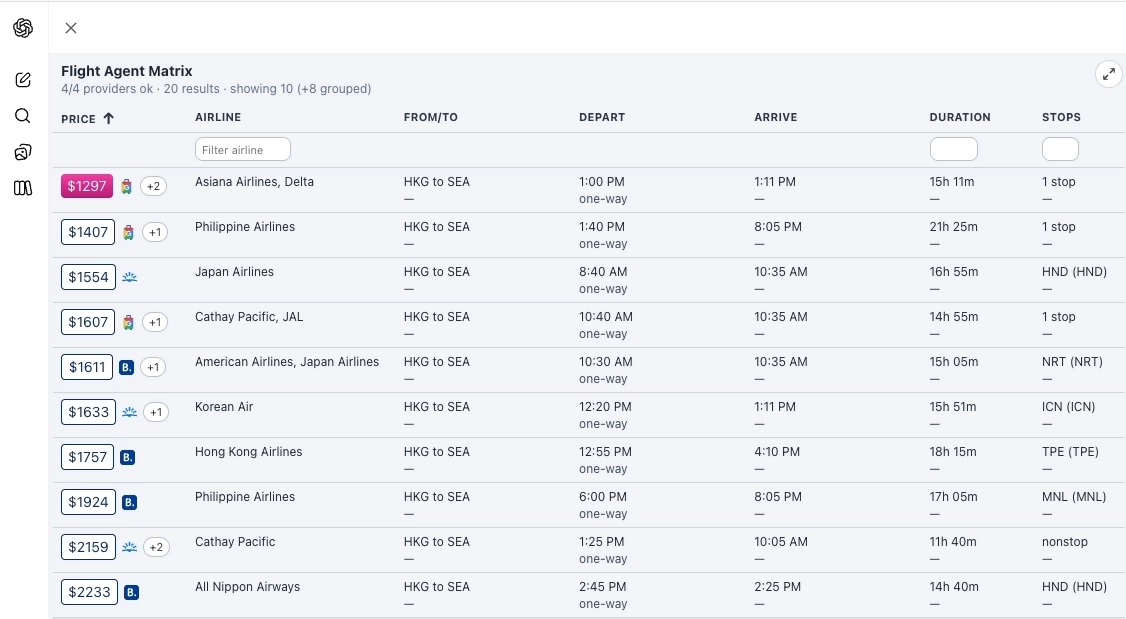
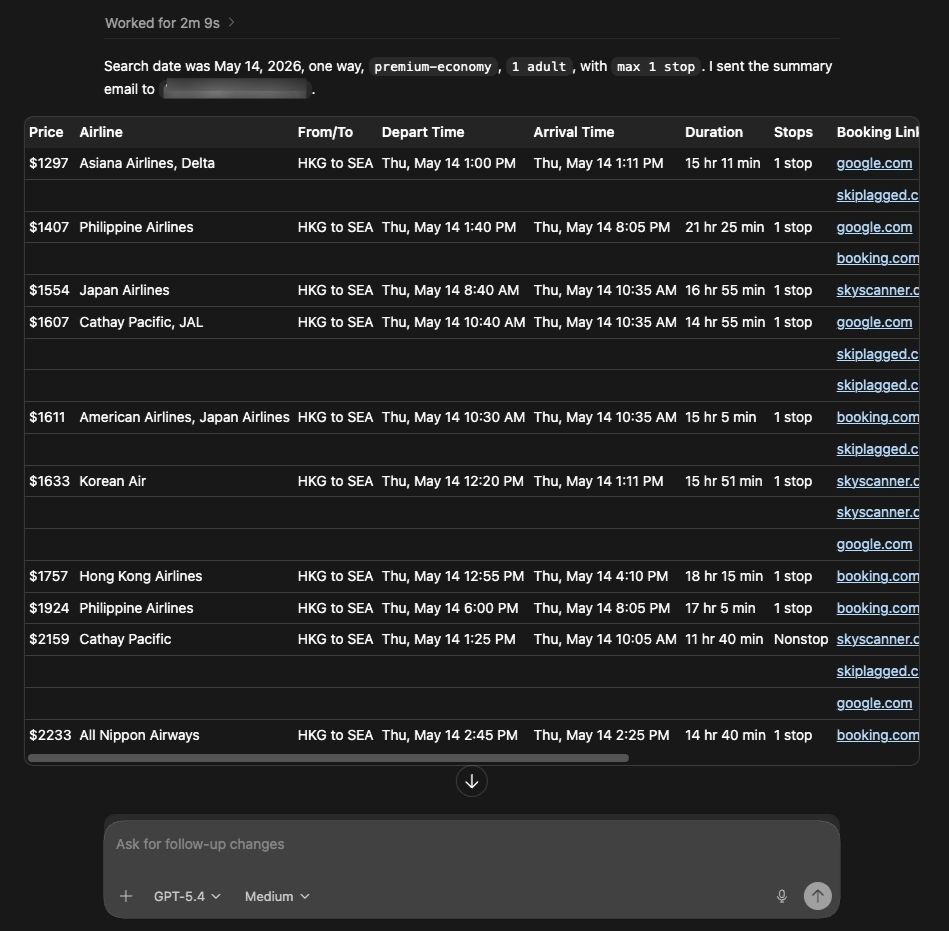
Rich UX allows you to quickly filter and sort results
Learn more at our github
Common questions teams ask before integrating Flight Agent Matrix MCP.
It's as simple as setting up your Infoseek account to get your app URL. You can paste that URL into your preferred AI.
It compares flights across Google Flights, Skyscanner, Booking.com, and Skiplagged with one MCP call and returns ranked, structured output for both reasoning and UI rendering.
Yes. The response supports rich filtering and sorting in ChatGPT and can be used by Codex Agents to automate repeated travel searches and price monitoring.
Required fields are from_airports, to_airports, and departure_date. Optional fields include return_date, max_stops_allowed, max_total_duration_hours, flight_class, adults, and children.
Searches are live at request time. Pricing and availability can change quickly, so run a fresh query before booking.
Flight Agent Matrix compares Google Flights, Skyscanner, Booking.com, and Skiplagged in one tool call.
Run the MCP from a scheduled Codex Agent or workflow and send the ranked results to email using your preferred mail step.
Yes. We can provide a Codex skill pattern that wraps the MCP search call and supports recurring monitoring flows.
Most searches return in seconds, depending on route complexity, provider response times, and filter constraints.
Yes. One-way uses departure_date only. Roundtrip uses both departure_date and return_date in the same call.
Yes. Use max_stops_allowed and max_total_duration_hours to constrain itineraries before ranking.
Yes. Top ranked options include provider booking URLs so users can open and complete booking directly.
Yes. Any MCP client that supports tools/list and tools/call can integrate this endpoint.
Yes. Teams use it for itinerary comparison, route monitoring, and recurring travel-search automations.
The public MCP surface is intentionally simple: one comparison tool handles multi-provider itinerary search and returns ranked output that works for both reasoning and UI rendering.
Tool
Use this tool to compare flights across providers for an exact route and date set. Send one full itinerary per call. For roundtrip searches, include both departure_date and return_date in the same request.
Required inputs
from_airportsto_airportsdeparture_dateUseful optional inputs
return_datemax_total_duration_hoursmax_stops_allowedflight_classadults, childrenReturns
results[]countsearchcards[]The MCP returns both ranked raw flight groups and a pre-shaped cards array for immediate UI rendering. That gives agents one payload for reasoning and presentation.
cards[]
Best path for UI rendering. Each card includes price, route labels, outbound and return summaries, and booking URLs.
results[]
Structured ranked groups for custom agent-side ranking, filtering, and follow-up transformations.
search
Compact route and date summary that is useful for cards, logs, and fallback text.
count
Quick result cardinality without scanning the full response array.
{
  "count": 25,
  "search": {
    "route_label": "SEA → LAX",
    "date_label": "Apr 11 - Apr 15",
    "trip_type": "round_trip"
  },
  "cards": [
    {
      "id": "flight-card-1",
      "badge": "Best value",
      "price_display": "$325",
      "booking_url": "https://www.google.com/travel/flights/...",
      "outbound": {
        "airline": "Alaska Airlines",
        "duration": "2h 45m",
        "stops": 0
      }
    }
  ],
  "results": [
    {
      "flight_result_group": {
        "rank": 1,
        "round_trip_price": "$325",
        "google_flights_link": "https://www.google.com/travel/flights/..."
      }
    }
  ]
}The MCP uses standard JSON-RPC methods. The public surface includes tools/list, tools/call, resources/list, and resources/read. The Flight Agent Matrix widget is exposed at ui://widgets/flight-agent-matrix.
POST /mcp/flight-agent-matrix
{
  "jsonrpc": "2.0",
  "id": "1",
  "method": "tools/call",
  "params": {
    "name": "compare_flights_all_providers",
    "arguments": {
      "from_airports": ["SEA"],
      "to_airports": ["SFO"],
      "departure_date": "2026-10-24",
      "return_date": "2026-10-30",
      "max_total_duration_hours": 8,
      "max_stops_allowed": 0,
      "flight_class": "economy",
      "adults": 1
    }
  }
}This MCP exposes a standard MCP transport surface. In practice, teams usually consume it through Infoseek routing or a direct MCP client that speaks JSON-RPC and can call tools/list and tools/call.
The widget contract is built in: the tool advertises openai/outputTemplate and returns card-shaped output that can render directly into chat-based AI interfaces.
results[] retains ranked itinerary groups for reasoning layers.cards[] is already shaped for chat widgets and side panels.Run one MCP call to compare Google Flights, Skyscanner, Booking.com, and Skiplagged results in parallel.
Add stop and duration constraints directly into the tool arguments instead of trying to post-filter fuzzy search output later.
Use the built-in output template and pre-shaped cards to drop multi-provider results straight into an MCP-enabled UI.