
How do I install this?
Set up your Infoseek account to get your app URL, then paste that URL into your preferred AI client.
 Travel Planning MCP
Use one skills-based MCP call to coordinate flights, hotel discovery/pricing, and map-aware trip planning in a single assistant workflow.
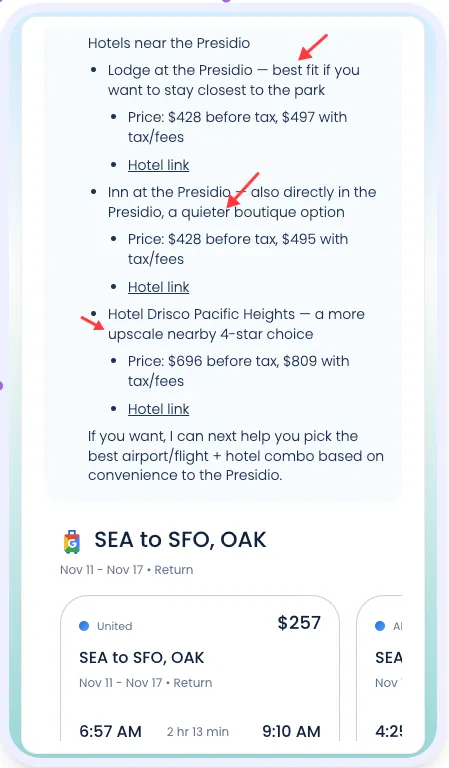
Common questions teams ask before integrating Google Travel Planner MCP.
Set up your Infoseek account to get your app URL, then paste that URL into your preferred AI client.
It runs a travel-planning agent that coordinates flight search, hotel planning, and map context inside one flow.
One public tool: run_agent. You provide a travel prompt and optional file URLs.
Yes. It is designed for multi-step prompts covering flights, hotels, and location tradeoffs in one run.
Yes. Use the optional file_urls array if your workflow needs runtime documents or references.
This MCP intentionally exposes a single agent runner interface to keep integration simple.
Tool
Runs the skills-based travel planner using its bundled skill configuration, pinned MCP apps, and optional runtime files.
Required input
promptOptional input
file_urls[]Output
content[]isErrorA typical tool call returns agent output as MCP content records.
{
  "content": [
    {
      "type": "text",
      "text": "Flights shortlist, hotel recommendations, and map-focused trip guidance..."
    }
  ],
  "isError": false
}
run_agent.file_urls for trip constraints or references.const result = await mcp.callTool("run_agent", {
prompt: "Plan a 4-day NYC trip with nonstop flights and hotels in SoHo",
file_urls: []
});
return result.content?.[0]?.text || "";